
obsidian sync but free
obsidian sync but instead pushes changes to a github repo
repo ↗demos open in a new tab · never embedded here
the prompt · exactly as sent
### System Prompt & Build Specifications: Obsidian Auto-Sync System

* **Core Mission**
* Build a headless auto-sync system for a local Obsidian vault directory using Git and remote hosting (private GitHub repository).
* Prioritize data preservation, silent background operation, and non-destructive automated conflict resolution.


* **Repository Initialization**
* Initialize a new Git repository inside the local Obsidian vault directory.
* Initialize a default `.gitignore` immediately:
```gitignore
.obsidian/workspace*
.obsidian/cache
.trash/
.DS_Store
*.tmp
.env

```


* Set up remote authentication targeting a private GitHub repository using the native system Git credential helper or a Personal Access Token (PAT) stored in a local `.env` file.


* **Watcher Component (Node.js)**
* Implement a background watcher process using Node.js, `chokidar`, and `simple-git`.
* **File System Monitoring**: Monitor all creation, modification, and deletion events within the vault root (excluding pattern matches in `.gitignore`).
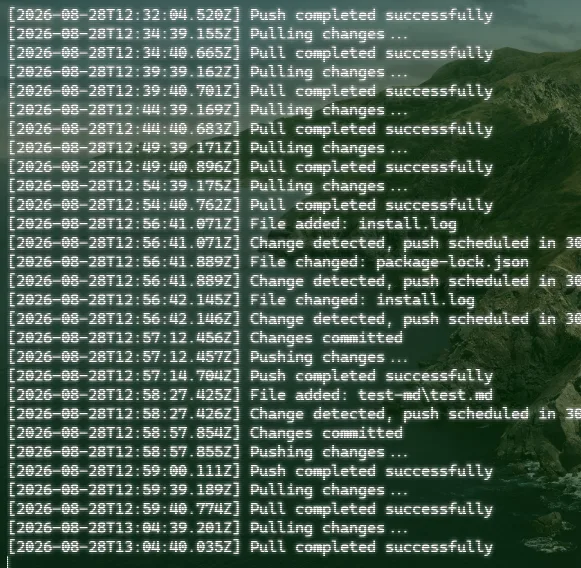
* **Debounce Logic**: Debounce commits by **30 seconds** after the *last* detected file change before triggering auto-commit and push actions.
* **Commit Messaging**: Auto-generate commits with timestamps using the format: `vaultsync: auto-commit YYYY-MM-DD HH:mm:ss`.


* **Pull & Sync Strategy**
* **Schedule**: Execute a `git pull --rebase` on initial startup and every **5 minutes** on a recurring timer.
* **Conflict Handling (Data Preservation First)**:
* Intercept rebase/merge conflicts automatically during the pull sequence.
* Never discard local changes or overwrite incoming remote changes.
* In a conflict scenario, preserve the local version as the primary file name (`<filename>.md`).
* Extract the incoming/remote version and write it as `<filename>.conflict-YYYY-MM-DD.md`.
* Abort/resolve the Git merge state cleanly and write a detailed log entry to `~/.vaultsync/sync.log`.


* **CLI Utility (`vaultsync`)**
* Provide a CLI command (`vaultsync status`) executable from the terminal.
* **Status Output Requirements**:
* Print time elapsed since the last successful push and pull.
* Scan the vault and list any unresolved `<filename>.conflict-*.md` files.
* Display current repository working tree cleanliness (`git status --short`).


* **Documentation Requirements (`README.md`)**
* **Second Machine Setup**: Step-by-step instructions for cloning the private GitHub repo on a new desktop, setting up credentials, and launching the sync service.
* **Mobile Integration**: Workflow guidelines for pointing mobile Git clients (Working Copy on iOS, MGit on Android) at the same remote repository.
* **Conflict Convention**: Documentation explaining how incoming conflicts are renamed (`<filename>.conflict-YYYY-MM-DD.md`) and how to manually resolve them in Obsidian.
$ open in your agent (prompt prefilled, you press enter) or copy it raw · free forever
where it broke
nothing yet
the facts
goesone shot · self-declared
built withOpenClaude · Claude Sonnet 4.5
listedAug 28, 2026
chatno chat link on file · OpenClaude can show one
this is what the maker told us. we check that the link loads. that's all.