
BetterFlow
Voice dictation with the screen context you point at.
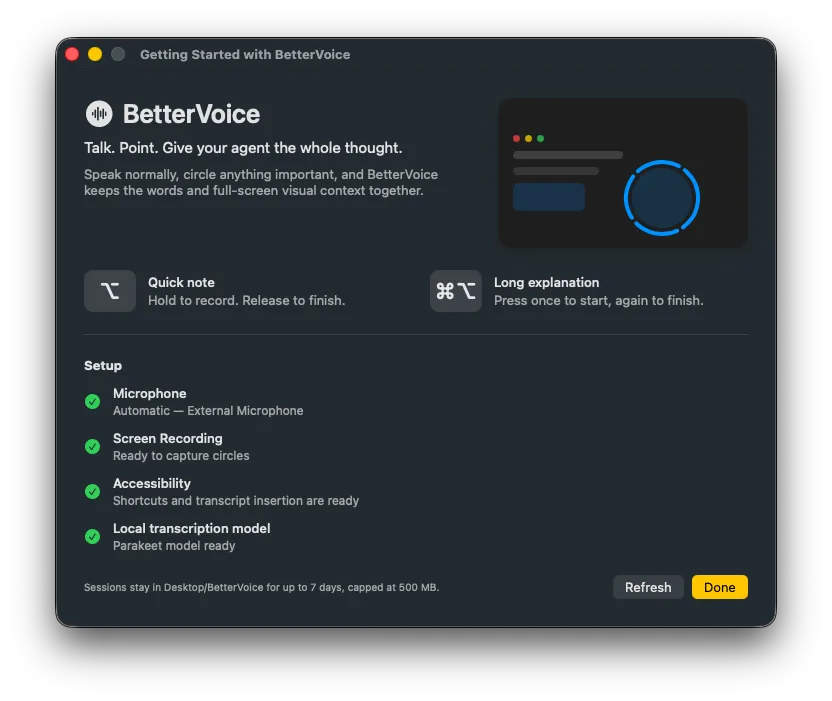
open live demo ↗demos open in a new tab · never embedded here
the prompt · exactly as sent
So I have this idea: you know how I use Wispr Flow all the time? I press a key on my keyboard and then I speak into a text box. Of course that can be done by using something like open-source software like bettervoice or whatever. I want to combine this with mouse movements.

Essentially what I want is to be able to capture the context on my screen along with the voice so it gives more power to Wispr Flow. Something like that where I will talk and then it will record the audio and transcribe in the moment. Of course if I hover my mouse over and move it in a circle over something, I guess we can do a circular motion as the trigger. If I move my mouse in a circle over any point on the screen, it would take a screenshot with that thing. Maybe we could do a heatmap or mark that area on the screen so that it can essentially take in that context also.

If I'm working on a website, I could do circles using the mouse on a button while speaking. Here I want this button to be different and stuff like that. When I paste it, it will basically paste the thing that I spoke but also an image screenshot of that thing marked on the screen. It could be many screens, many screenshots. If I could continue talking and I would circle many other things, then they would be placed there. That's the goal.

Could you try and build an MVP of this, write a goal for yourself, and then build an MVP on this so that I can test it out?
$ open in your agent (prompt prefilled, you press enter) or copy it raw · free forever
where it broke
screen capture and marking the context
the facts
goesa few goes · self-declared
built withCodex CLI · GPT-5.6 Sol Pro
listedAug 23, 2026
chatCodex CLI doesn't show chats to outsiders
this is what the maker told us. we check that the link loads. that's all.
takes onWispr Flow$15/mo · dictationYES
Wispr Flow$15/mo · dictationYES